Dataflows for Apache NiFi
Introduction
Apache NiFi is a dataflow system for the stream and batch processing of data. Dataflows are configured in the NiFi web GUI to perform the following tasks:
- EDR parsing from text-based EDRs into JSON based EDRs.
- Storage of EDRs as parsed into the
n2reportingdatabase - Service determination, to split call control and provisioning EDRs into the correct processing paths.
- Aggregation of EDR data into summarised forms for reporting.
- Database extracts (of the N2ACD database) for integrated EDR + service data reports.
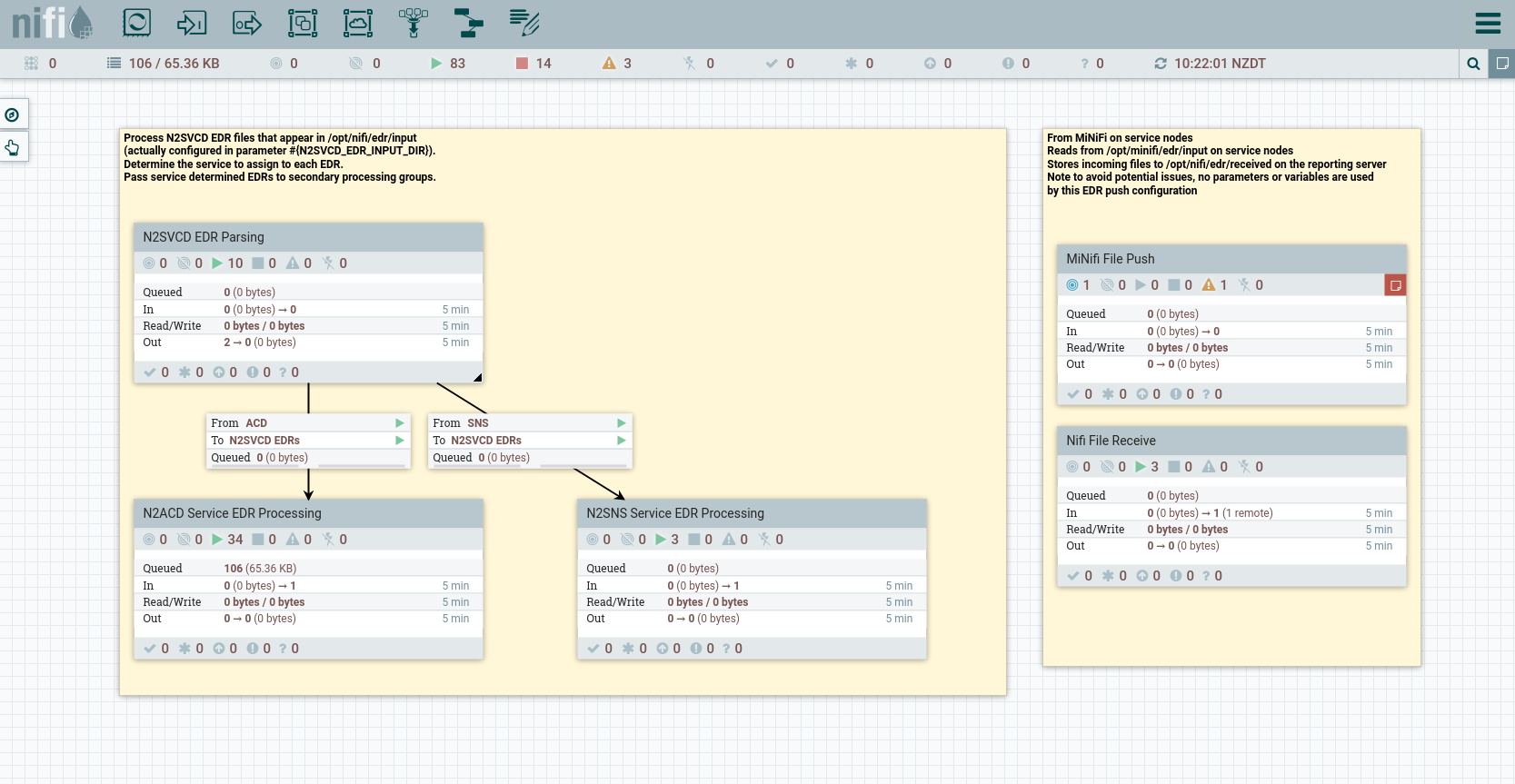
This N2ACD NiFi guide will provide step-by-step instructions for the configuration of N2ACD dataflows, however for comprehensive details on how to use Apache NiFi, see the NiFi user guide.
A description of each NiFi process group is provided first. For installation instructions and how to configure, see below.
The “Read EDR Files, Compress” Process Groups
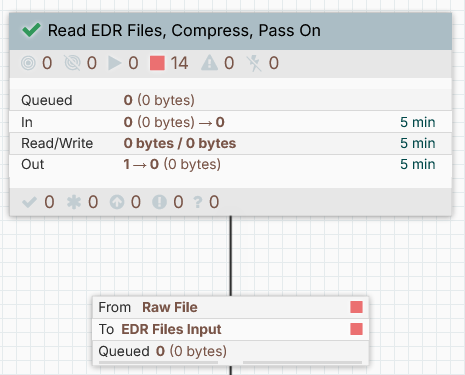
The “Read EDR Files, Compress” process groups provides generic mechanism for reading in EDRs from disk and storing them in an on-disk storage directory before optionally processing them in the main N2ACD EDR processing pathway.
There are three versions available for NiFi v2 in JSON format:
- Read EDR Files, Compress, Store: Save EDR files to disk only.
- Read EDR Files, Compress, Pass On: Save EDR files to disk and then pass on for further processing.
- Read EDR Files, Compress, Pass On Wait Schedule: Save EDR files to disk and then pass on for further processing, with an additional cron timer for disabling processing for a configurable period every day.
Configuration
The following configuration options must be added to the Parameter Context of the process group when created on the NiFi canvas. All controller services used by this process group should be automatically created when the process group is created from the template (or registry).
| Parameter | Default Value | Purpose |
|---|---|---|
EDR_ERROR_DIR |
/opt/nifi/edr/error |
If an error occurs while reading an EDR file as a whole (before processing of individual EDRs could be done), the EDR file will be written back to this directory. |
EDR_INPUT_DIR |
/opt/nifi/edr/input |
The directory on the reporting server from where EDR files can be read. EDR files should be moved into this directory (rather than written) such that the move is an atomic filesystem operation. |
EDR_STORE_DIR |
/opt/nifi/edr/store |
The directory on the reporting server from where EDR files can be stored after read. EDR files will be stored into this directory peration. |
If using the Wait Schedule version, additional Controller Services are created and must be enabled before starting the service:
| Controller | Purpose |
|---|---|
EmbeddedHazelcastCacheManager |
Runs a Hazelcast service for storing arbitrary information in cache. |
HazelcastMapCacheClient |
Client for utilizing the cache. Defines a cache named EDR-PROCESSING-RELEASE-SIGNAL-CACHE for storing the signal to queue processing. |
The “N2SVCD EDR Parsing” Process Group
The N2SVCD EDR Parsing process group is responsible for parsing N2SVCD text based EDR files into individual EDR records and then determining the relevant service each EDR belongs to.
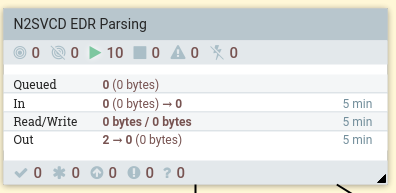
This process group will:
- Convert each EDR in each file read. EDRs are converted in to JSON format for subsequent processing, with key fields (including the session ID and EDR event timestamp) extracted.
- Pass on the EDRs to the next process group.
Configuration
None
The “N2ACD Service EDR Processing” Process Group
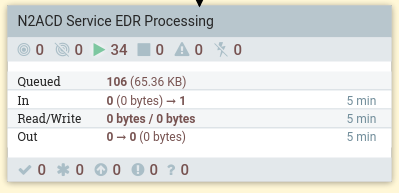
This process group will store raw EDRs identified as part of the ACD service
into the n2acd.raw_json_edr database table. It will aggregate EDRs received
such that one row per voice call is stored in the database table n2acd.summarised_edr.
See the reporting db node installation instructions for creating the reporting database, and the reporting database data model for details on the reporting tables themselves.
This process group will:
- Store EDRs to the N2ACD reporting database
raw_json_edrdatabase table. - Process EDRs to determine the purpose of the EDR and update the CDR record for the ACD call in the
summarised_edrtable.
Configuration
The following configuration is required for the N2ACD Service EDR Processing process group:
| Parameter | Default Value | Purpose |
|---|---|---|
N2ACD_EDR_READER_SCRIPT |
/usr/share/n2acd/etc/nifi/n2acd_reader.groovy |
The location of the Groovy script for additional N2ACD specific parsing of EDR data. |
N2REPORTING_PG_DB_DRIVER |
/opt/nsquared/ocs/lib/postgresql-42.3.1.jar |
The location of the Java jar file for PosgreSQL JDBC connectivity. |
N2REPORTING_PG_DB_URL |
jdbc:postgresql://127.0.0.1/n2reporting |
The full JDBC URL for the PostgreSQL n2reporting database. |
N2REPORTING_PG_USERNAME |
n2reporting_writer |
The username to connect to the reporting database with. |
N2REPORTING_PG_PASSWORD |
n2reporting_writer |
The database password to connect to the reporting database with. |
DELAY_IN_MINUTES_MOVING_EDRS_FROM_HOLDING_TBL |
1440 |
The delay (in minutes) between moving EDRs from the temporary holding table to the longer term daily storage. This should be set to be longer than the maximum call time on the network. |
EDR_DB_TABLE_SCHEMA |
n2acd |
Set to the database schema n2acd |
EDR_DB_TABLE_NIFI_VIEW |
nifi_n2acd_edr |
Set to the database function nifi_n2acd_edr |
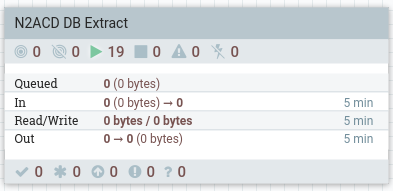
The “N2ACD DB Extract” Process Group
This process group extracts source data from the N2ACD service database into
database tables stored in the n2acd schema. Each extract is timestamped, and
multiple extracts will be stored (based on storage capacity and partitioning
configuration)
See the reporting db node installation instructions for creating the reporting database, and the reporting database data model for details on the reporting tables themselves.
This process group will:
- On a regular basis copy customer, service and flow data from the service database to the reporting databse.
Configuration
The following configuration is required for the N2ACD DB Extract process group:
| Parameter | Default Value | Purpose |
|---|---|---|
N2REPORTING_PG_DB_DRIVER |
/usr/share/dbmaintain/postgresql-42.3.1.jar |
The location of the Java jar file for PosgreSQL JDBC connectivity. |
N2REPORTING_PG_DB_URL |
jdbc:postgresql://127.0.0.1/n2reporting |
The full JDBC URL for the PostgreSQL n2reporting database. |
N2REPORTING_PG_USERNAME |
n2reporting_writer |
The username to connect to the reporting database with. |
N2REPORTING_PG_PASSWORD |
n2reporting_writer |
The database password to connect to the reporting database with. |
N2ACD_SERVICE_DB_URL |
jdbc:postgresql://n2-p-acd-sms-01/n2in |
The full JDBC URL for the PostgreSQL n2in database with the n2acd service database schema. |
N2ACD_SERVICE_DB_PG_USERNAME |
n2acd_owner |
The username to connect to the N2ACD SMS service database with. |
N2ACD_SERVICE_DB_PG_PASSWORD |
n2acd_owner |
The database password to connect to the N2ACD SMS service database with. |
N2ACD_GROOVY_READER |
/usr/share/n2acd/etc/nifi/n2acd_reader.groovy |
The location of the groovy file for reading/processing EDRs. |
NiFi Dataflow Installation
NiFI dataflow installation and configuration requires two steps:
- The import of process groups as templates directory into NiFi (if using NiFi 1.x), or as flows into the NiFi Registry (if using NiFi 2.x) and then the creation of process groups from those templates/flows.
- The installation-specific configuration of those process groups.
Importing Process Groups
The template for each process group is available from N-Squared Support. Import these process groups and then create process groups from them. This is done in the same way as for the core reporting templates/flows
| File | Description |
|---|---|
N2ACD_Service_EDR_Processing |
A template for the N2ACD Service EDR Processing process group. |
N2ACD_DB_Extract |
A template for the N2ACD DB Extract process group |
In addition to these templates, both N2SVCD_EDR_Parsing and the appropriate version of Read_EDR_Files,_Compress, X are also required.
Configuring Installation Specific Parameters
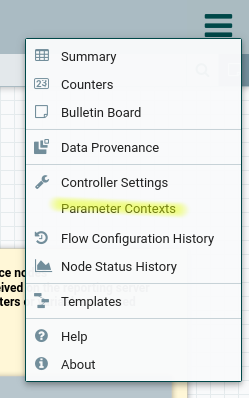
Configuration for the dataflow templates provided by N-Squared for NiFi is done through the NiFi “Parameter Contexts” feature. To access the parameter contexts, use the burger bar in the top-right of the NiFi header:
In this menu, create or edit a parameter context, creating the parameters listed for each process group, as listed in this configuration manual:
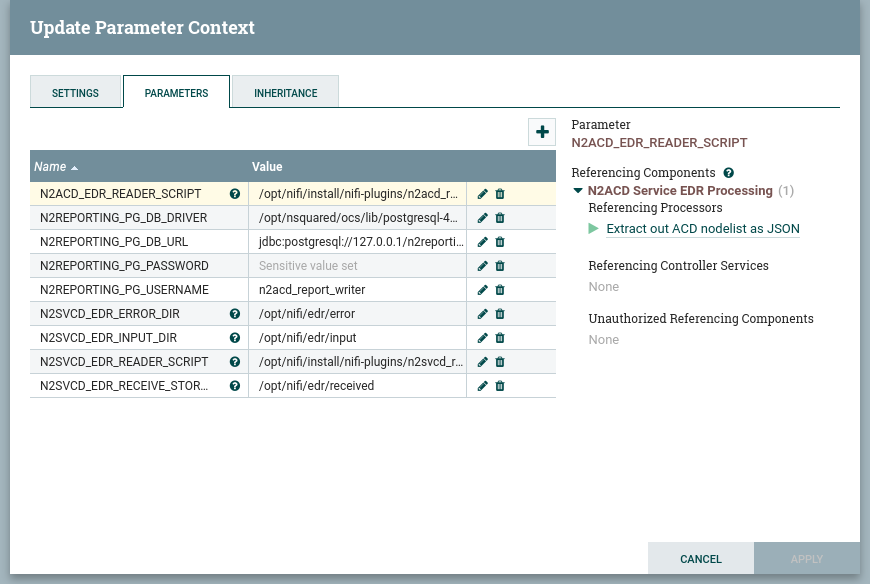
The parameter context group must be named. The name can be unique to your installation.
Once the parameter context is created, attach the parameter context to each of the process groups by right clicking on the process group and configuring the parameter context for the process group. The exactly layout and visual design of the process group Settings dialog box will depend on whether NiFi v1 or v2 is being used:
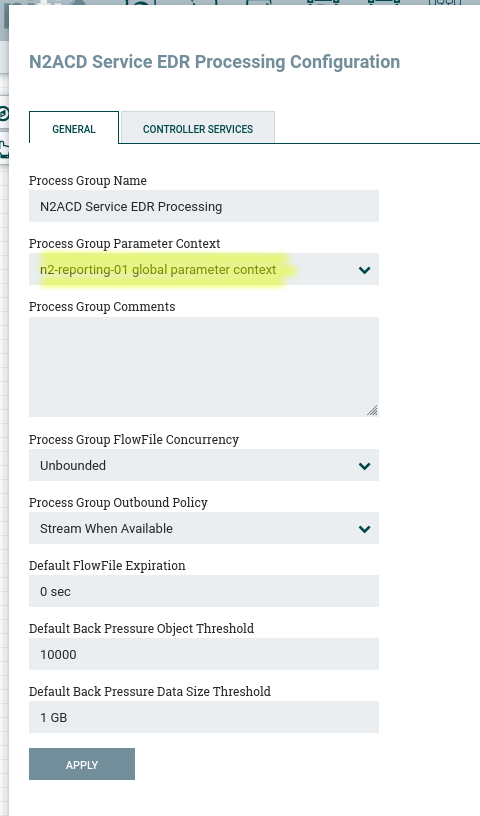
Note that this must be done for each process group individually. Process groups do not inherit their parent parameter context group.
Note that to access the settings for a process group, use the Configure context menu item.
Configuring Passwords
Passwords are considered sensitive information in NiFi and are not stored in templates - even when parameters are being used. Edit the following three services in the imported NiFi templates and set the passwords for each database connection.
Note that the password can be set to the parameter by using the parameter formatted
value (#{N2ACD_SERVICE_DB_PG_PASSWORD} or #{N2REPORTING_PG_PASSWORD}), or
can be set directly to the password.
Passwords are required for:
- The reporting database. In the
N2SVCD EDR ParsingProcess Group, in then2reportingcontroller service, in the fieldPassword. - The reporting database. In the
N2ACD Service EDR ProcessingProcess Group, in then2reportingcontroller service, in the fieldPassword. - The reporting database. In the
N2ACD DB ExtractProcess Group, in then2reportingcontroller service, in the fieldPassword. - The ACD SMS service database. In the
N2ACD DB ExtractProcess Group, in theN2ACD Service Databasecontroller service, in the fieldPassword.